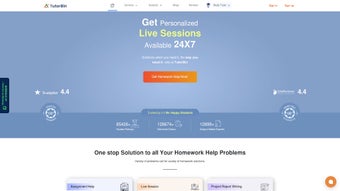

Download TutorBin – 24/7 AI Homework Helper for Students
TutorBin is a revolutionary online AI education tool designed to empower students with instant, accurate, and expert-backed academic support. Whether you're struggling with a calculus problem, preparing for a chemistry lab report, or drafting a finance assignment, TutorBin offers 24/7 access to AI-powered tutoring and certified subject experts. With support spanning over 50+ subjects—including Mathematics, Physics, Chemistry, Computer Science, Engineering, Economics, Law, Nursing, and more—TutorBin ensures no student is left behind.
The platform combines cutting-edge artificial intelligence with human expertise to deliver fast, reliable, and plagiarism-free solutions. From assignment writing and project reports to live tutoring sessions, presentation creation, and video explanations, TutorBin covers every academic need. Its secure, intuitive interface makes it easy for students on Windows, Mac, Android, and iOS devices to access help anytime, anywhere.
With a growing Q&A library and real-time chat with tutors, TutorBin is more than just a homework helper—it’s a complete learning companion for modern students.
Key Features of TutorBin: Your All-in-One Academic Assistant
One of the standout aspects of TutorBin is its comprehensive suite of features tailored to meet diverse academic demands. First and foremost, the platform leverages advanced AI algorithms to instantly analyze and solve complex problems across STEM subjects like Mathematics, Physics, and Computer Science. Unlike generic AI tools, TutorBin’s AI is trained on real academic data, ensuring solutions are not only correct but also aligned with standard curricula and grading expectations. For students who need deeper understanding, the platform offers step-by-step video solutions that break down each problem, making abstract concepts easier to grasp.
Another powerful feature is the live tutoring sessions, where students can connect with verified subject experts in real time. Whether it’s a last-minute exam prep or a detailed project discussion, these one-on-one sessions provide personalized attention and immediate feedback. TutorBin also excels in content creation—students can request assignment writing, project reports, presentation slides, speech drafts, and even research summaries. All content is delivered with proper citations, originality checks, and tailored to the student’s academic level.
The Q&A Library is a treasure trove of previously solved problems and study materials, allowing students to learn from past queries. This self-service feature reduces dependency on constant tutoring and promotes independent learning. Additionally, the platform supports multiple file uploads and offers secure document sharing, ensuring privacy and confidentiality. With features like deadline tracking, progress reports, and a clean, responsive interface, TutorBin is engineered for efficiency and ease of use. Whether you're a high school student, undergraduate, or postgraduate, TutorBin adapts to your academic journey with smart, scalable tools.
How to Install & Use TutorBin: A Step-by-Step Guide
Getting started with TutorBin is quick and hassle-free. There’s no traditional software installation required—TutorBin is a web-based platform accessible through any modern browser. To begin, simply visit the official website and click on the “Sign Up” button. You’ll be prompted to enter your email, choose a password, and select your academic level (e.g., high school, college, university). Once registered, you’ll gain instant access to the dashboard, where you can explore all available services.
For immediate help, use the “Ask a Question” feature. Type your homework problem, upload a photo of your assignment, or attach a file. The AI will analyze your query and provide a preliminary solution within seconds. If you need deeper explanation or a human touch, you can upgrade to a live session with a tutor. The platform will match you with an expert based on your subject, urgency, and preferred language.
For longer assignments, navigate to the “Assignment Help” section. Here, you can specify the topic, word count, deadline, and any formatting requirements (APA, MLA, Chicago, etc.). The system will assign a qualified writer, and you’ll receive updates throughout the process.
You can also request revisions if needed. All communication happens securely within the platform, and files are encrypted to protect your privacy. For students using mobile devices, the TutorBin app is available for both Android and iOS, offering push notifications, offline access to saved notes, and quick chat access to tutors.
With regular updates, the platform ensures a smooth, bug-free experience across all devices.
Compatible Devices & Platforms
TutorBin is designed for maximum accessibility, supporting a wide range of operating systems and devices. Whether you’re using a Windows PC, Mac laptop, Android smartphone, or iOS tablet, you can seamlessly access the platform through a web browser or the dedicated mobile app. The responsive design ensures that the interface adapts perfectly to any screen size, providing a consistent experience whether you're studying at home, in a library, or on the go.
On desktops, TutorBin works flawlessly with Chrome, Firefox, Safari, and Edge, offering fast loading times and smooth navigation. The web version includes advanced tools like drag-and-drop file uploads, real-time collaboration features, and embedded video explanations. For mobile users, the Android and iOS apps are lightweight, fast, and optimized for touch interaction. They include features like voice-to-text input for questions, offline note storage, and instant access to your tutor chat history.
Additionally, TutorBin supports multiple languages, including English, Spanish, and Hindi, making it a global solution for international students. The platform is also compliant with data protection standards like GDPR and CCPA, ensuring your personal and academic information remains secure. With regular updates that improve performance, add new features, and enhance security, TutorBin remains a reliable and future-ready learning tool. No downloads or installations are needed—just log in and start learning.
Pros & Cons of Using TutorBin
Pros:
- 24/7 Availability – Get help anytime, day or night, perfect for tight deadlines and last-minute study sessions.
- AI + Human Expertise – Combines fast AI responses with personalized guidance from certified tutors.
- Wide Subject Coverage – Supports over 50 subjects, from core sciences to niche fields like Journalism and Nursing.
- Secure & Private – End-to-end encryption and compliance with global data protection laws.
- Multiple Output Formats – Receive solutions as text, video, slides, or written reports with proper formatting.
- Free Q&A Library – Access thousands of solved problems and study materials at no extra cost.
Cons:
- Live Sessions Can Be Expensive – While basic AI help is affordable, premium live tutoring may be costly for some students.
- Dependence Risk – Overuse may reduce independent problem-solving skills if not used responsibly.
- Response Time Varies – During peak hours, AI may take slightly longer to process complex queries.
Frequently Asked Questions (FAQ)
How do I download TutorBin?
TutorBin is a web-based platform, so there’s no traditional “download” required. You can access it directly via your browser on any device. For mobile users, download the free app from the Google Play Store or Apple App Store.
Is TutorBin free to use?
Yes, TutorBin offers free access to its AI-powered homework help and the Q&A Library. However, advanced services like live tutoring and custom assignment writing require a paid subscription or one-time fee.
Can I use TutorBin on my Android or iOS device?
Absolutely. TutorBin has dedicated apps for both Android and iOS, available for free on their respective app stores. The apps provide all core features, including chat, file uploads, and live sessions.
How secure is my data on TutorBin?
TutorBin uses industry-standard encryption (SSL/TLS) and complies with GDPR and CCPA. Your personal and academic data is never shared with third parties and is stored securely on encrypted servers.
What subjects does TutorBin cover?
TutorBin supports a vast range of subjects, including Mathematics, Physics, Chemistry, Computer Science, Engineering, Economics, Law, Finance, Management, Nursing, Journalism, and Arts. It’s ideal for students at all academic levels.
How fast are the responses from tutors?
AI responses are instant—usually within seconds. Live tutor responses depend on availability, but most sessions start within 5–10 minutes during regular hours. Peak times may see slightly longer wait times.
Final Verdict: Is TutorBin Worth It?
TutorBin stands out as one of the most versatile and reliable AI education tools available today. Its seamless blend of artificial intelligence and human expertise makes it an indispensable companion for students navigating complex academic challenges. Whether you’re preparing for exams, writing a research paper, or simply need a quick explanation, TutorBin delivers accurate, timely, and high-quality support. The platform’s commitment to security, accessibility, and continuous improvement ensures a trustworthy experience across all devices.
While live tutoring comes at a cost, the free AI help and extensive Q&A library make it accessible even on a tight budget. With regular updates, mobile access, and multilingual support, TutorBin is built for the modern student. If you're looking for a secure, efficient, and comprehensive way to improve your academic performance, downloading TutorBin is a smart move.
Ready to ace your next assignment? Download TutorBin today and unlock your full academic potential!



.png)



